Guide · August 16, 2026
Spotting Online Payment Scams in the Philippines
Common e-wallet and bank-transfer scam patterns in the Philippines — fake support, OTP phishing, spoofed SMS, refund theater, marketplace pressure — plus calm steps after a suspected scam.
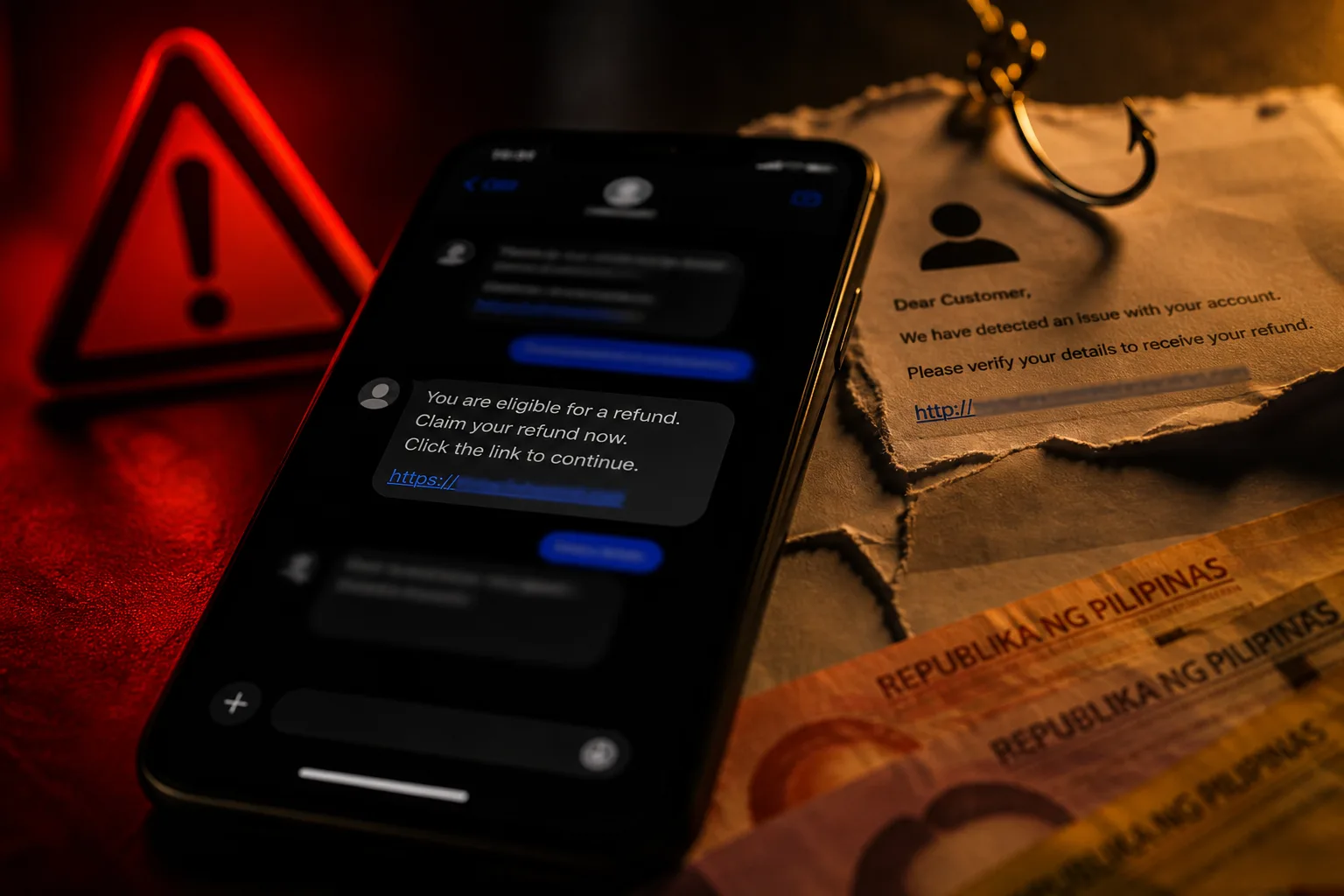
Payment scams thrive on urgency. A message arrives, a clock appears in your head, and the send button feels like the only way out. This guide is a pause checklist for Filipino adults who use e-wallets and bank transfers — educational, practical, and calm.
It pairs with e-wallet basics and the bank transfer safety checklist. For account hygiene after a scare, also see protecting personal data online.
Why phishing and smishing keep rising
Attackers prefer channels people already trust: SMS alerts that look like bank messages, chat threads that mimic customer support, and marketplace conversations that start friendly. In the Philippines, smishing (SMS phishing) and chat-based social engineering remain common because:
- Many people authorize money moves from a phone they carry all day
- OTP culture trained users to type codes quickly
- Spoofed sender names and cloned chat profiles are cheap to run at scale
- Victims often feel embarrassed and delay reporting, which helps scammers move funds
You do not need technical jargon to defend yourself. You need habits that break urgency.
Pattern 1: Fake support
Someone claims your account is locked, “under review,” or involved in a crime. They may use logos, ticket numbers, and a calm professional tone. The ask is always the same underneath: OTP, PIN, remote-access app, or a “verification fee.”
Pause checks
- Did you contact support first, or did they contact you out of nowhere?
- Are they asking you to leave the official app?
- Do they want a code that arrived on your phone right now?
Real providers do not need you to read OTPs aloud or install screen-sharing tools to “unlock” an account. Open the official app yourself and use the in-app help path — or the help URL you already bookmarked from the provider, such as GCash Help or Maya Help.
Pattern 2: OTP phishing
You receive a code. Seconds later, a chat or call asks for that code “to confirm it was you” or “to cancel a transfer.” If you share it, you may authorize the attacker’s action.
Rules that hold up:
- OTPs are for you to enter inside the official app or website you opened
- Never send OTPs to anyone — not “support,” not “bank staff,” not a romantic interest online
- If you did not start a transaction, treat an unexpected OTP as a warning, not a chore to complete
Stronger authentication trends from BSP policy (including moves away from SMS OTP alone for high-risk actions under frameworks such as Circular 1213) exist because codes in transit can be socially engineered. Literacy still matters: new prompts help only if you refuse to hand control to a stranger.
Pattern 3: Spoofed SMS threads
A message looks like it sits in the same thread as previous bank or wallet alerts. Some people assume the sender must be real because the conversation history looks continuous. Spoofing and lookalike alerts can still trick busy readers.
Habits
- Do not tap links in unexpected money alerts
- Open the bank or wallet app from your home screen, not from the SMS
- Compare the message tone to real alerts you already know (real alerts rarely beg you to “click now or lose access”)
- When unsure, call a number printed on your card or inside the official app — not the number inside the suspicious SMS
Pattern 4: Accidental refund theater
A stranger “accidentally” sends money, then panics in chat. They ask you to return it — sometimes to a different account, sometimes via a gift-card style workaround, sometimes after a fake “bank agent” joins the thread.
Why this works: people want to be fair. Why it is dangerous: the original credit may be reversible or fraudulent, leaving you short after you “refund.”
Safer response
- Do not return funds on chat instructions alone
- Contact your provider through official channels and ask what to do with an unexpected incoming transfer
- Ignore pressure to “refund today or face a case”
Politeness is not a payment authorization.
Pattern 5: Marketplace off-platform pay
A listing looks too cheap. The seller wants payment outside the platform’s protected checkout — wallet send to a personal number, or a deposit before you see the item.
Pause checks
- Why leave the platform’s payment flow?
- Is the price far below market without a clear reason?
- Are they rushing you with “last stock” messages?
If you choose to pay peer-to-peer anyway, you accept more risk. Use name matching, small test amounts only when that truly reduces risk (it often does not), and never share OTPs. Prefer platform escrow or cash-on-delivery when available.
Pattern 6: Investment pressure
Guaranteed returns, private Telegram or Viber groups, screenshots of dashboards, and coaches who celebrate early “profits.” The ask escalates: deposit more, recruit friends, pay a fee to withdraw.
Red flags:
- Guarantees of profit
- Pressure to decide before you can verify the company
- Withdrawal fees that appear only after you invest
- Isolation from family advice (“don’t tell anyone yet”)
Treat unsolicited investment DMs as marketing at best and fraud at worst until proven through independent, official sources — not screenshots from the recruiter.
Five questions before you send money
- Did I initiate this payment, or did a stranger push me?
- Can I verify the recipient through a known official channel?
- Is anyone asking for my OTP, PIN, remote-access app, or full card details?
- Would I still send this money tomorrow after sleeping on it?
- Is the link or QR from a source I already trust?
If any answer feels wrong, stop. Confirm inside the official app or with a person you know offline.
Rising pressure tactics to recognize
Scammers remix scripts. Watch for:
- Countdown language (“account closes in 10 minutes”)
- Fear of police or immigration without a case number you can verify independently
- Romance or friendship that turns financial quickly
- Job offers that require an upfront “training fee” via wallet
- Fake delivery riders asking for COD payment to a personal QR
- “HR” chats that ask for a selfie with your ID next to a handwritten note, then push a fee
Urgency is the product. Your pause is the patch.
Public awareness campaigns from regulators and providers change over time, but the consumer lesson stays stable: verify inside official apps, ignore fear scripts, and do not treat a chat profile as a bank. For broader financial-consumer context, browse BSP advisories when you want the institutional framing — then return to your provider’s official freeze and dispute tools when money is at risk.
What to do after a suspected scam
Act in order when you can. Speed matters more for freezes than for writing a perfect narrative.
1. Capture evidence
- Screenshots of chats, SMS, profiles, QRs, and transaction references
- Note dates, amounts, account names, and numbers
- Do not delete the thread yet if you can safely keep it
2. Lock down accounts
- Change passwords and PINs for the wallet, email, and linked bank apps
- Use official in-app freeze or lock features when available
- Review recent devices and transactions
- Enable stronger app locks and biometrics
3. Contact your provider through official channels
Use the help path inside the app or the provider’s published support site. Report unauthorized transactions promptly. Keep ticket or reference numbers.
4. Report through public channels when appropriate
For cybercrime and online fraud concerns, Filipinos often look to official reporting pathways such as:
- CICC (Cybercrime Investigation and Coordinating Center) for cybercrime-related guidance and reporting concepts
- PNP Anti-Cybercrime Group channels publicized by the Philippine National Police
- NBI cybercrime reporting pathways when identity theft or larger fraud is involved
Exact forms, hotlines, and intake steps change. Use the official websites or published hotlines — not numbers pasted by a stranger in chat. Local police blotter may still matter for documentation.
5. Warn people in your circle carefully
Tell family if shared accounts or devices might be affected. Avoid forwarding unverified “forward this to everyone” panic posts; stick to what happened to you and the official links you used.
What not to do
- Do not send a “recovery fee” to someone who promises to get the money back
- Do not install remote-access tools for a “refund specialist”
- Do not share new OTPs while you are still in the same suspicious chat
- Do not blame yourself into silence — early reporting helps more than perfect composure
Related reading on FB777 Guide
- E-wallets in the Philippines — practical basics
- Bank transfer safety checklist
- Protecting personal data online
- What is FB777 Guide?
Editorial note
This page is general scam-awareness literacy for Filipino adults. It is not legal advice, not a substitute for provider fraud teams, and not a tutorial for gambling deposits or withdrawals. FB777 Guide does not process payments or recover funds. When money is already gone, official provider and law-enforcement channels are the real next steps — calm, documented, and without a second stranger in the middle.