Guide · August 18, 2026
E-Wallets in the Philippines — Practical Basics
How Philippine e-wallets work for everyday spending — top-ups, QR pay, peer transfers, limits, biometrics, and scam-aware habits under stronger BSP authentication expectations.
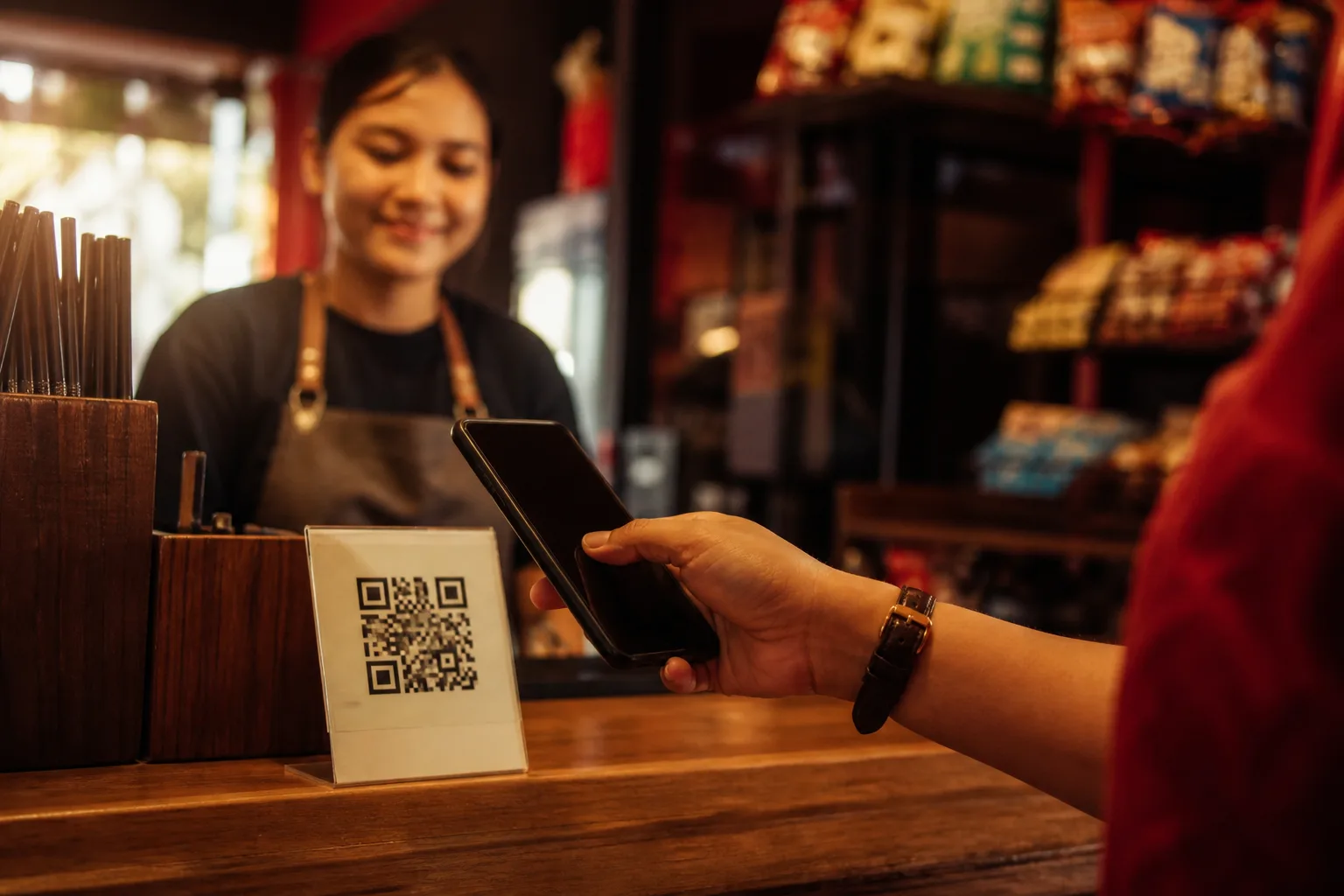
E-wallets are now a default payment layer for many Filipinos — from sari-sari QR codes to bills, load, and peer transfers. This guide explains how wallets work as habits, not which brand “wins.” Features differ by provider. Limits, fees, and verification rules live inside the official app. Treat this page as a map of common moves and safer defaults.
If you want a pause checklist for suspicious chats and refund theater, jump ahead to spotting online payment scams. If you are about to send to a bank account, pair this with the bank transfer safety checklist.
What an e-wallet actually does
An e-wallet holds a digital balance linked to your phone number or verified account. In everyday use you can usually:
- Receive money from another wallet or a linked bank
- Pay merchants via QR Ph or in-app checkout
- Send peer-to-peer transfers
- Pay selected bills or buy mobile load
- Cash in (top up) and, where supported, cash out
That list sounds simple. Friction appears at the edges: KYC tiers that raise limits, device binding, biometric prompts, and merchant QRs that look almost right but are not.
Top-ups without rushing
Topping up is where many people first feel urgency — a queue at a partner store, a “limited time” checkout, or a friend waiting for payment. Slow the moment down.
Before you cash in
- Confirm you are using the official app from a known store listing, not a sideloaded APK from a chat
- Prefer partners and channels named inside the app’s cash-in menu
- Keep receipts or reference numbers until the balance appears
- Avoid sharing your full account details with a stranger who “will top up for you”
After you cash in
- Check the balance and recent activity before you leave the counter or close the browser
- If the amount is wrong, use the provider’s in-app help path — not a random Facebook account claiming to be support
A small “daily spend” balance helps some people budget. Others keep more and rely on app lock. Either way, treat the phone like a wallet in your pocket: lock it, do not lend it unlocked, and do not leave sessions open on shared devices.
QR pay in the wild
QR payments are fast by design. That speed is useful at a café and dangerous when someone flashes a paper QR in a hurry.
Habits that help:
- Prefer scanning a QR displayed by a merchant you physically see, or a checkout flow you opened yourself
- Read the merchant name on the confirmation screen before confirming
- Be wary of “updated QR” images sent by chat for a deal that started on a marketplace
- If the amount field is editable, type it yourself and re-read it
Altered stickers and screenshot QRs are a classic scam pattern. When something feels off, pay another way or walk away. Money sent to the wrong merchant is often hard to reverse quickly.
Peer transfers
Sending money to family, housemates, or sellers is the core wallet habit. Treat every new recipient as unverified until proven otherwise.
Before you send
- Confirm the recipient name shown in the app matches the person you intend to pay
- Check the mobile number or wallet ID character by character for first-time sends
- Re-read the amount (extra zeroes are a common expensive typo)
- Prefer saved beneficiaries you have already verified once in person or via a known channel
During send
- Authenticate only inside the official app
- Never read an OTP aloud on a call
- Cancel if a page asks you to install a second “security” app mid-transfer
After send
- Save the reference number
- Tell the recipient through a channel you already use
- Watch for follow-ups claiming the transfer “failed” and asking you to resend — a pattern covered in our scam checklist
Limits, tiers, and why KYC exists
Most Philippine e-wallets use verification tiers. Basic accounts often have lower send and receive limits. Completing identity checks usually raises those limits and unlocks more features.
What that means for literacy:
- Limits are not only inconvenience — they are also a speed bump against large impulsive sends
- If someone pressures you to “upgrade now” through a link they pasted in chat, stop. Upgrades belong in the official app
- Keep your registered email and mobile number under your control; account takeover often starts with contact hijacking
Check your current limits inside the app’s profile or settings area. Do not rely on screenshots from strangers.
Biometrics, PINs, and app lock
App lock (PIN, pattern, or biometrics) is your first line after the phone unlock. Turn it on. Prefer biometrics plus a PIN you do not reuse across social apps.
Good defaults:
- Enable app lock before you store a meaningful balance
- Do not store wallet PINs in plain notes shared with family group chats
- Review logged-in devices if the app shows them
- Log out on borrowed phones
Biometrics are convenient. They are not magic. A lost unlocked phone with a wallet session still needs your attention — remote lock and account freeze through official channels matter.
Stronger authentication beyond SMS OTP (literacy context)
Phishing and smishing thrive when a single SMS code is enough to authorize a high-risk move. In recent years the Bangko Sentral ng Pilipinas has pushed covered banks and e-money issuers toward stronger customer authentication for high-risk transactions and critical account changes — moving away from relying on interceptable SMS or email OTPs alone.
BSP Circular No. 1213 sits in that policy line. Public coverage around the June 2026 compliance window described stronger methods such as biometric, behavioral, adaptive, or passwordless authentication for covered institutions’ high-risk flows, while lower-risk actions may still use lighter checks depending on the provider.
What this means for you as a user — not as a compliance officer:
- Expect more in-app biometric or device-bound prompts for larger transfers, new payees, or account detail changes
- Do not assume every SMS that looks like an OTP is safe to type into a website a stranger sent you
- Official apps remain the place to approve high-risk actions; random links are not
- Transaction notifications may still arrive by SMS; authorizing a transfer is a different act than reading an alert
Always follow what your own bank or wallet shows in the official app. Policy context explains why prompts are changing; it does not replace the provider’s on-screen instructions.
For consumer-facing materials and advisories, start from BSP and your provider’s help center — for example GCash Help Center or Maya Help — rather than chat accounts that claim to be support.
Scam-aware habits that belong next to wallet skills
Wallet literacy without scam literacy is incomplete. Common pressure patterns include fake support asking for OTPs, marketplace off-platform pay, “accidental” refund theater, and investment groups promising guaranteed returns.
Keep a short personal rule set:
- I never share OTPs, PINs, or full card numbers
- I never install remote-access apps because a “agent” asked
- I never rush a first-time send to a new number because of a countdown
- I verify through the official app or a known phone number when unsure
Full patterns and aftercare steps: Spotting online payment scams in the Philippines.
Bills, load, and merchant checkout
Beyond peer sends, many people use wallets for bills and load. The same pause rules apply:
- Open billers from inside the official app catalog when possible
- Confirm account numbers on utility or school invoices before saving them as favorites
- Treat “pay this biller link” from an unexpected SMS as suspicious until you verify on a known channel
- For online checkout, prefer returning to the merchant site you typed yourself rather than a payment page that opened from a pop-up ad
If a checkout asks you to authenticate, stay inside the wallet or bank app you already trust. Mid-flow redirects to unknown domains are a reason to cancel and retry from the merchant’s official site.
Everyday checklist you can reuse
Setup
- Official app only
- App lock on
- Notifications on for transfers
- Know how to freeze or lock the account via official help
Each payment
- Who initiated this — me or a stranger?
- Does the name on screen match my intent?
- Is the amount exact?
- Am I authenticating inside the official app?
Weekly
- Skim recent transactions for unknowns
- Review subscriptions or auto-pay if you use them
- Update the app from the official store when prompted
Editorial note
FB777 Guide does not process payments, sell wallet products, or recover accounts. Use official provider channels for disputes, freezes, and identity verification. This article is general digital literacy for Filipino adults — not a ranking, not a promotion, and not a deposit tutorial for gambling.